
Quick Snippets Guide | Create Reusable Replies & Email Templates
Quick Snippets
What are they?
A library of pre-made texts (texts or emails) that allows quick insertion of specific content to ensure consistent communication.
Why?
To save time typing repetitive common questions and unify professional phrasing among team members.
How?
Create and customize the template, then recall it instantly inside any chat with the click of a button.
Execution Steps
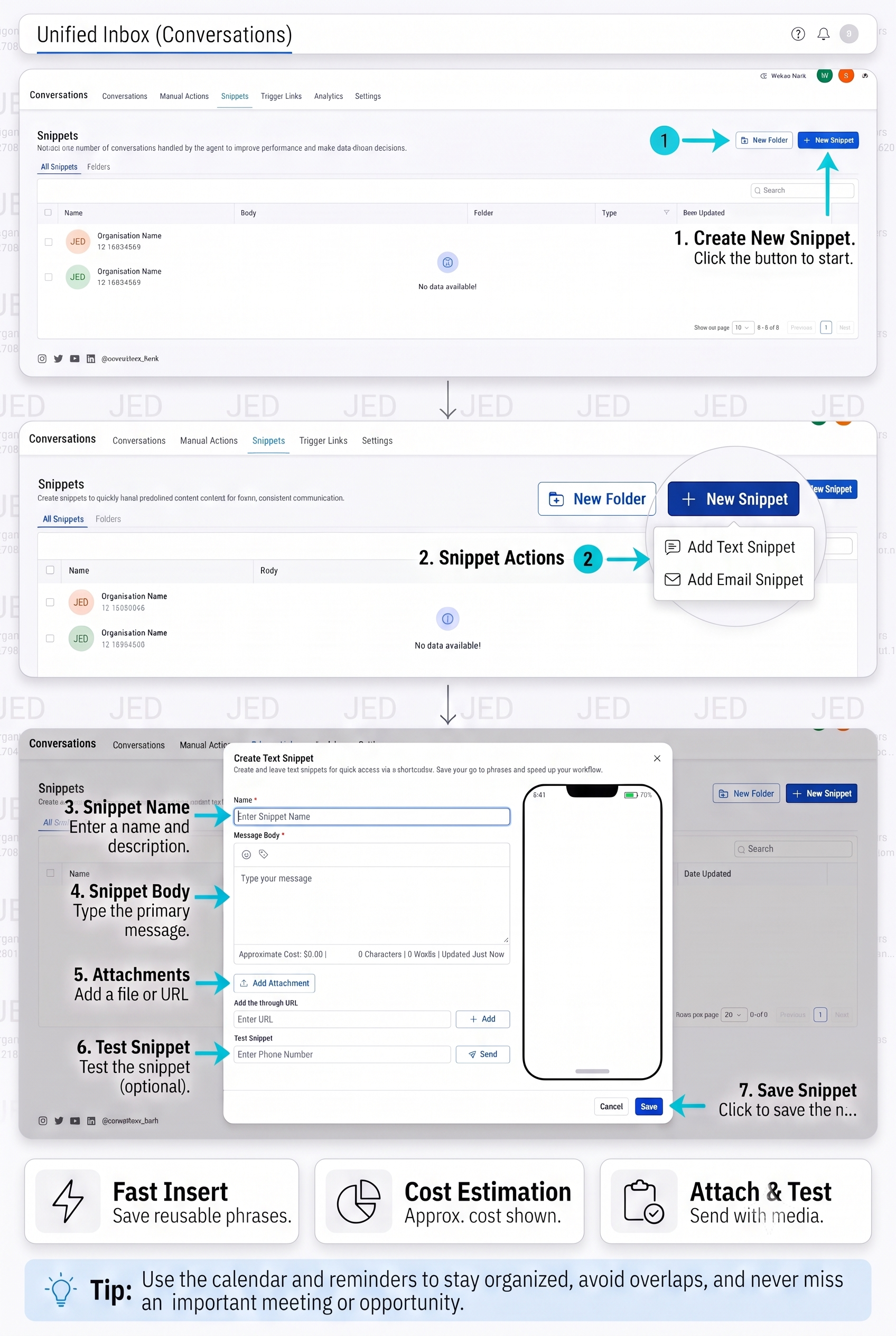
1. Create Template
Go to the “Snippets” tab and click “+ New Snippet” to choose a type (Text or Email).
2. Customize Content
Set a name for the template, write the required text, and add attachments if necessary.
3. Test & Save
Test the template via the “Test Snippet” field, then click “Save” to store it in your library.
Talk to Media SaleX AI Assistant
Do you want to build a professional quick replies library? The assistant bot is ready to help you.