
Multi-Posting: Simultaneous Social Media Publishing Guide
Multi-Posting
Post your content to Facebook, Instagram, LinkedIn, and Twitter with the click of a single button from a centralized place. Save time and effort by selecting the required social networks and sending the post or update to all accounts with a unified and synchronized mechanism instead of separate manual posting.
Platforms and Networks Integrated with the System
Support simultaneous direct publishing to Facebook pages, Instagram accounts, Threads network, and Google Business Profile (GBP).
Meta & Google IntegratedShare short videos and interactive content instantly on TikTok, YouTube, and Pinterest from a single place.
Video Multi-PublishingDistribute articles and professional content to LinkedIn and Bluesky pages and accounts to multiply reach to the target audience.
B2B Network ReachCustomize the text and media for each platform independently before publishing (such as adding custom hashtags for Instagram only).
Platform Specific EditsSteps for Multi-Posting Within the Platform
You can publish your content instantly across all your accounts with the click of a button through the following steps:
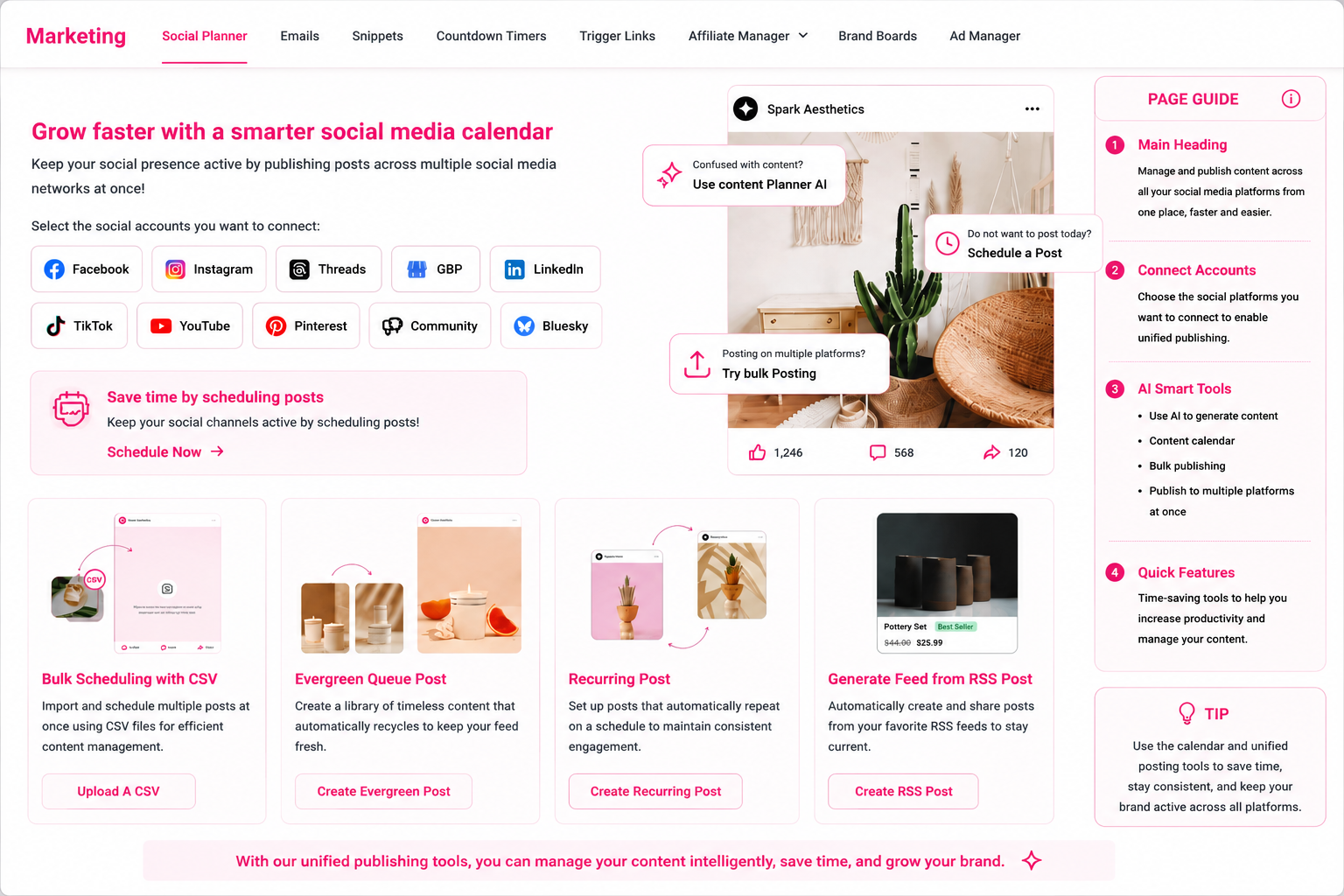
Social Planner Dashboard
Explore the direct illustrative diagram for managing and publishing smart content from a centralized unified location:
Frequently Asked Questions (FAQ) About Multi-Posting
Yes, you can easily unselect any social network with a click of a button when creating the post without affecting the remaining platforms.
The built-in editor allows you to adjust and frame image and video sizes for each platform’s profile (Square, Story, Landscape) smoothly.
Yes, you can connect multiple Facebook pages or multiple Instagram accounts and publish to all of them with a single click.
Yes, you can send updates, offers, and direct updates to your Google Business Profile page simultaneously with social media.
Talk to Media SaleX AI Assistant
Do you want the AI assistant to rephrase your content to fit each platform’s algorithms and publish it instantly to your accounts? Talk to it now!
Talk to Media SaleX AI Assistant