
Multi-Channel Guide | Connect Social & Email Channels
Multi-Channel
Connect all your brand’s communication channels into a single touchpoint. This section allows you to sync social media accounts and email, turning every incoming message into a centralized conversation.
Start Your Success Journey Now
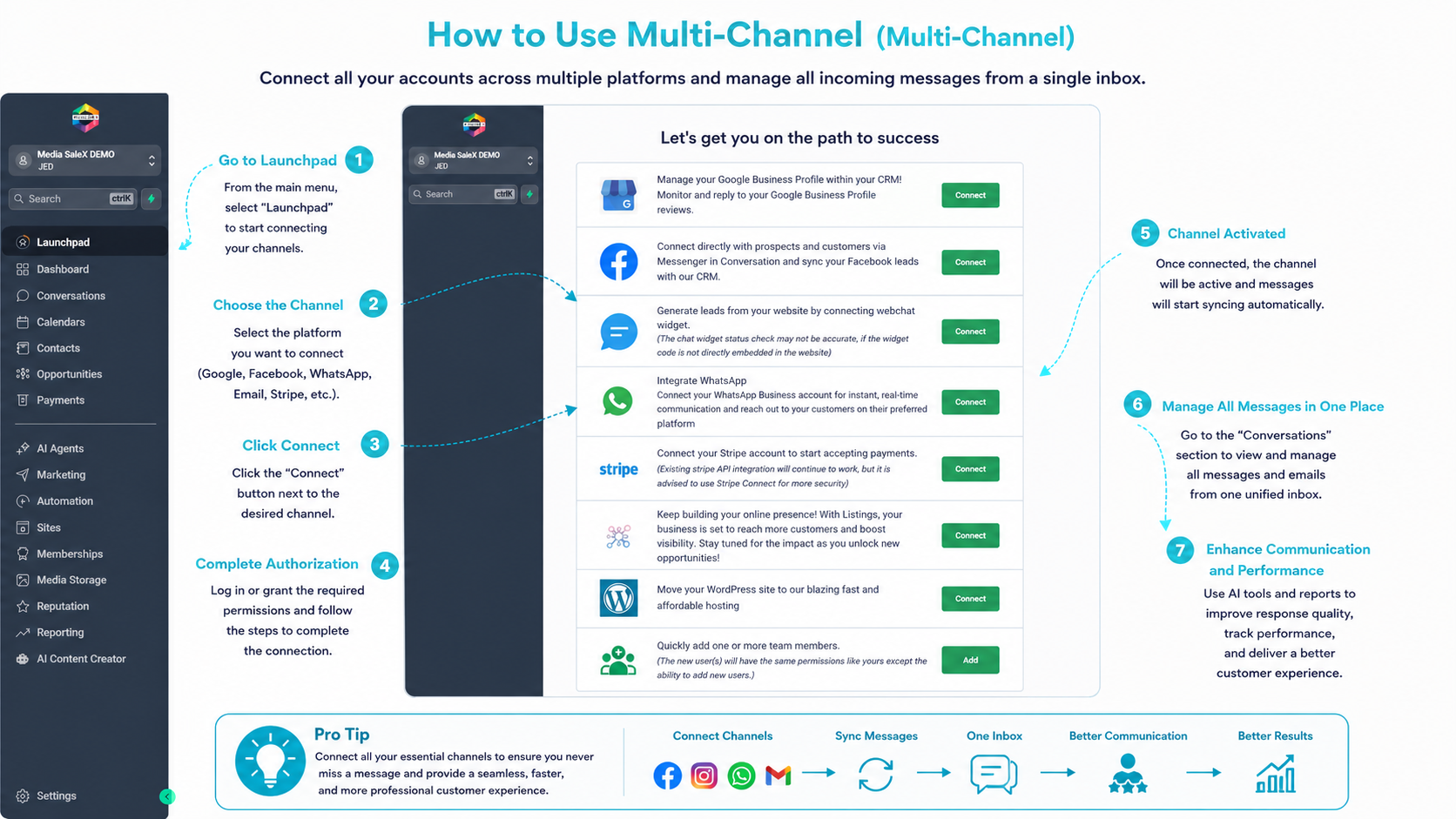
Use the Launchpad to connect your vital services such as WhatsApp, Facebook, Google, and Stripe with the click of a button.
From the settings section (Launchpad), you can connect your accounts via direct login to the platforms or by entering SMTP/IMAP data for email.
After connecting, the system automatically pulls current and future messages, with full support for multimedia (images, video, documents).
You can enable or disable any channel at any time, while customizing display names for each channel to ensure professional replies.
Important Questions About Connection
How do I connect Facebook and Instagram accounts? This is done through the “Integration” window; where you select the channel and grant the necessary permissions for the connection to happen within seconds.
Does the system support multiple emails? Yes, you can add multiple email addresses, and each conversation will appear with its own channel identity (Inbox source).
Do I need technical experience to connect email? The process is very simple; if automatic connection doesn’t work, you can use the manual server settings provided by your email provider.
Talk to Media SaleX AI Assistant
Do you need help setting up channels? The assistant bot is ready to guide you step by step in connecting any account.
Talk to Media SaleX AI Assistant