
Campaign Analysis & ROI: Return on Investment & Ad Reporting Guide
Campaign Analysis & Return on Investment (Campaign ROI)
Calculate the return on investment for each marketing campaign to know exactly where you achieve the best results. The campaign analytics screen inside Media SaleX allows direct integration with Google Ads and Meta Ads accounts to measure cost per click (CPC), cost per lead (CPL), and direct profitability percentage (ROI %) for each ad campaign with extreme precision.
Key Financial Indicators for Paid Campaigns
Calculate the direct percentage of financial profit for each marketing campaign compared to the total spent on ads.
Return on InvestmentTrack total spent amounts (Client Spends) and average cost per single click (Average CPC) in dollars or local currency.
Client Spends & CPCMeasure total conversion rate and calculate the precise cost corresponding to a single conversion (Cost per conversion).
Conversions & CPLDirect financial comparison with a detailed table showing campaign expenses versus actual achieved profits and revenues.
Cost vs Revenue TablePractical Steps for Tracking and Analyzing Campaign Returns
You can set up and analyze your marketing campaign performance and calculate their profitability through the following platform path:
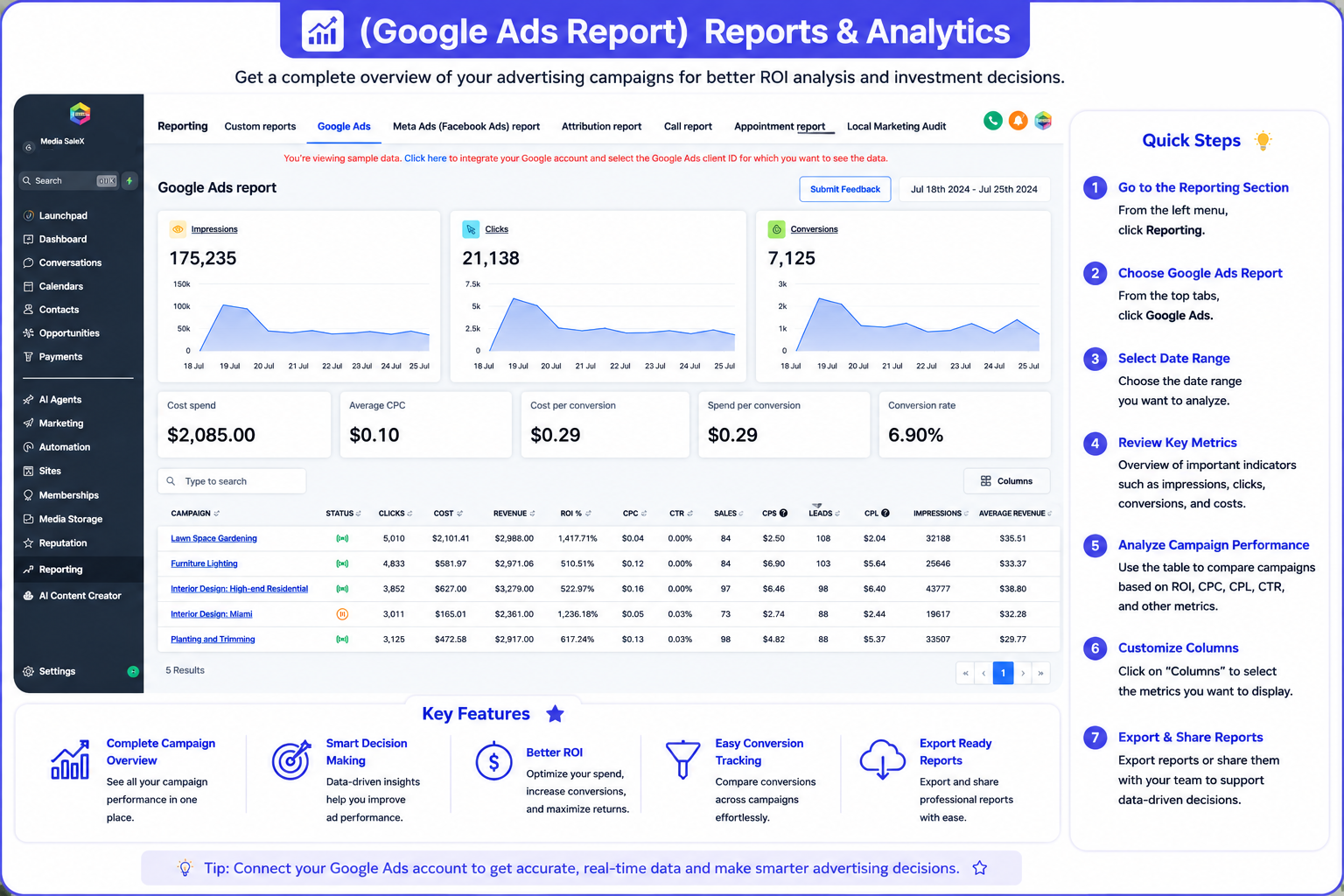
Google Ads Campaign ROI Report Interface
Explore the direct illustrative diagram for spending indicators, conversion fees, and ad ROI % table:
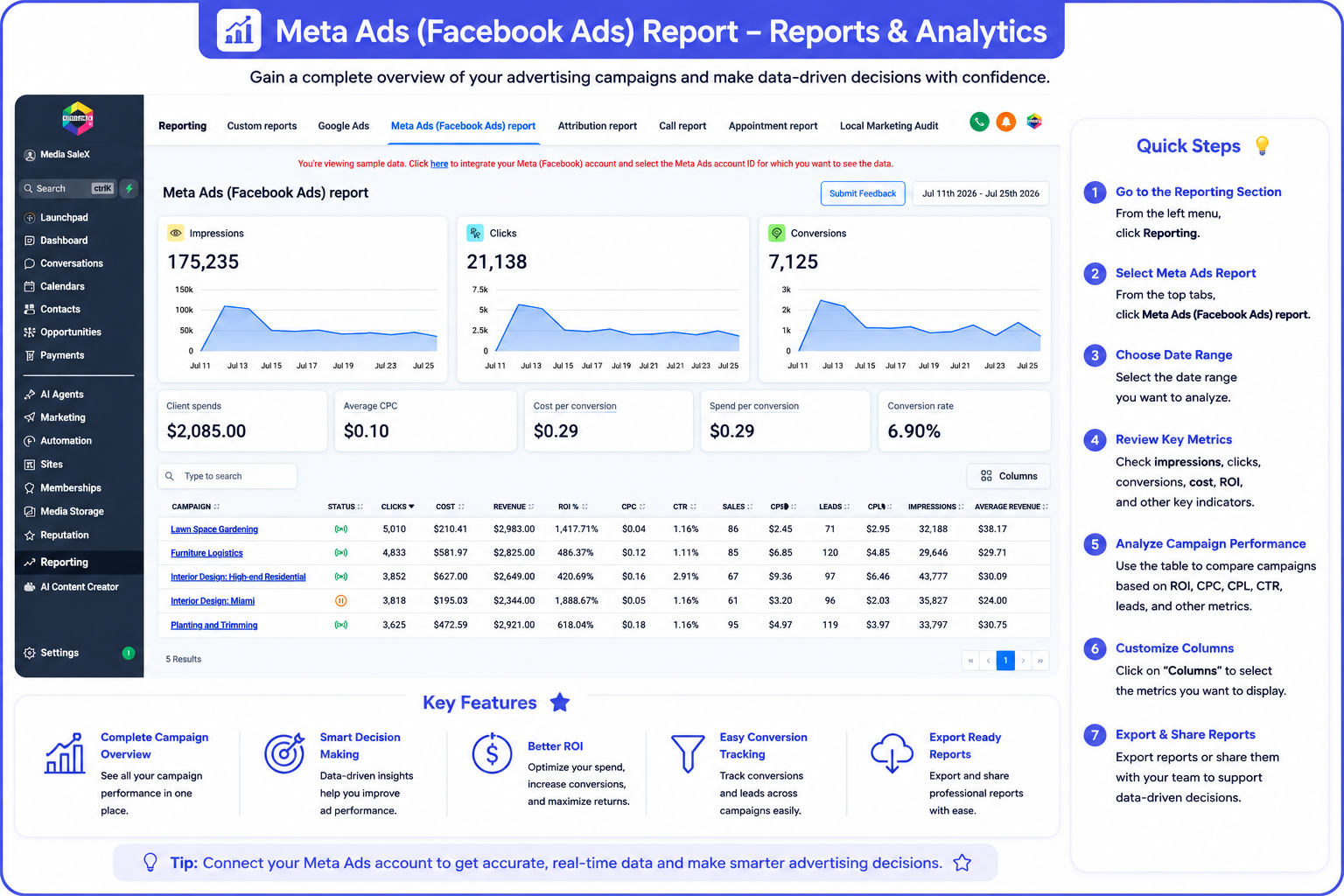
Ad Manager Connect Accounts Interface
Explore the dedicated screen for connecting Google, Facebook, and LinkedIn ad accounts to start monitoring:
Frequently Asked Questions (FAQ) About Campaign Analysis
The system calculates the ratio automatically by subtracting ad spend (Cost) from direct revenues (Revenue) and dividing by spend.
It uncovers the Cost Per Lead to evaluate the efficiency of your marketing offer among competitors.
It asks you to connect your ad account ID (Client ID) to replace demo data with your actual data.
Yes, the Columns button lets you add or hide any financial indicators in the report table and export them flexibly.
Talk to Media SaleX AI Assistant
Do you want the AI assistant to review your paid campaign results and suggest ideas to lower cost per click and increase ROI %? Talk to it now!
Talk to Media SaleX AI Assistant