
Sales Tracking & Customer Journey: Attribution & Funnel Guide
Sales Tracking & Customer Journey
Monitor sales flow stages and know where opportunities lie and where customers drop off in their purchasing journey. The sales tracking section inside Media SaleX allows you to read customer conversion paths (Attribution) from the very first moment of discovering your business all the way to final deals and appointments to prevent customer leakage and raise conversion efficiency.
Sales Tracking Tools and Indicators Within the Platform
Determine the exact marketing and advertising channel that attracted the customer and the financial contribution volume of each touchpoint.
Attribution ReportMonitor the conversion of booked appointments into actual meetings and determine the no-show rate for each employee.
Appointment ReportTrack purchase funnel stages accurately to see where customers hesitate and where sales deals stop to increase closures.
Funnel AnalyticsCalculate the average time it takes a customer to close a deal in local currency and track average customer lifetime value.
Sales Velocity MetricsPractical Steps for Sales Tracking & Customer Journey
You can review sales flow and analyze customer drop-off points within the platform through the following steps:
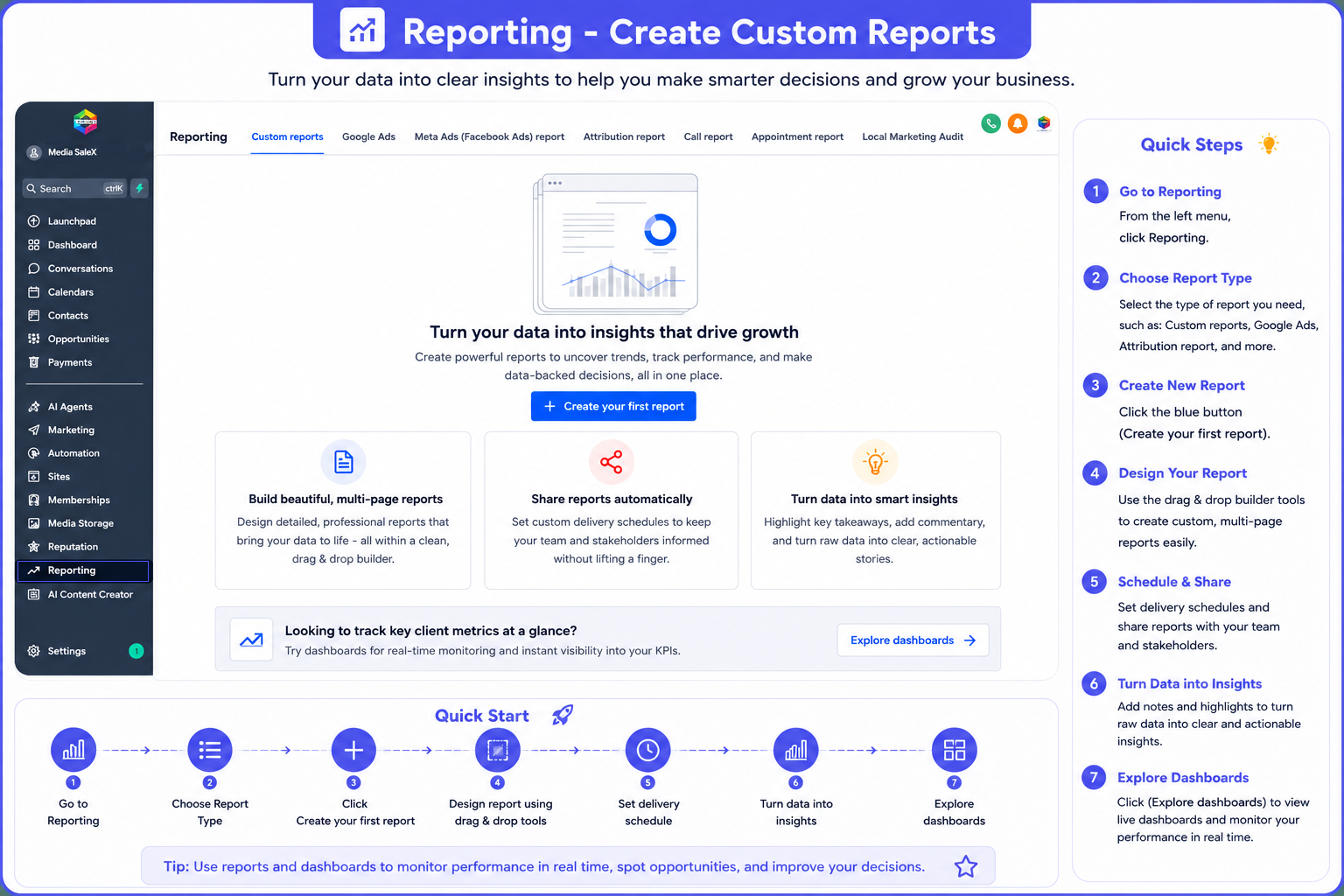
Sales Tracking & Customer Journey Interface in the Platform
Explore the direct illustrative diagram for attribution reports and sales conversion funnels:
Frequently Asked Questions (FAQ) About Sales Tracking
Dashboard gives you a quick complete summary, whereas Attribution Report provides precise details about the source of every paid dollar.
Yes, reports allow you to filter results by sales reps to measure speed and value of closed deals for each employee.
It uncovers attendance and absence rates verified in the calendar to link them with automated WhatsApp reminders before meetings.
Yes, reports measure total consequential and expected deal values in the approved CRM currency (such as local currency).
Talk to Media SaleX AI Assistant
Do you want the AI assistant to analyze your sales funnel, discover reasons for customer drop-offs, and suggest solutions to boost sales? Talk to it now!
Talk to Media SaleX AI Assistant