
Page Builder Guide | Create Landing Pages & Sales Funnels
Page Builder
The Page Builder is an advanced visual editor within the platform that allows you to design and create high-converting landing pages and sales websites without any programming experience, using a direct drag-and-drop system.
Understanding the Dashboard Main Menu (Sites Header)
The top menu allows you to quickly switch between the tools and building sites and funnels available within the platform:
Building sequential marketing and sales landing pages and funnels with high conversion rates.
Sales FunnelsCreating and designing complete multi-page websites for your brand.
WebsitesBuilding and managing e-commerce stores to showcase physical products and services and enable purchases.
E-CommerceOrganizing and managing online seminars and live events and acquiring participants.
Live WebinarsTracking and analyzing site performance, visitor percentages, and visitor-to-customer conversion rates.
Analytics & PerformanceCreating and managing a blog for publishing and content creation to improve search engine optimization (SEO).
Content CreationManaging and hosting live WordPress sites and integrating them seamlessly within the system.
WordPress HostingA dedicated portal for customers and subscribers to manage their accounts and access services.
Subscriber PortalDesigning smart forms to collect data and contact numbers and feed the CRM system.
Data Collection FormsBuilding questionnaires and opinion polls to know the needs and aspirations of target audiences.
SurveysCreating interactive quizzes and quick assessments to increase visitor engagement.
Interactive QuizzesEmbedding live chat widgets on your pages to facilitate direct communication.
Live ChatGenerating smart and customized QR codes for quick redirection to your pages and offers.
QR CodesMethods and Alternatives to Create a New Funnel
When clicking the + New funnel button, 3 smart options appear to start designing:
Domains & Redirects Settings
The settings icon (⚙️ Settings) allows you to customize the link to match your brand and track visitors:
* Purchase domain: Instantly purchase a new domain with SSL protection and automatic DNS management.
* Transfer-In Domain: Transfer your current domain to host it entirely on the platform.
* Connect a domain: Connect a domain owned by the client by configuring CNAME or A Record settings.
Automatically redirect visitors from an old or short link to the new landing page via the (+ Add a Redirect) button, with detailed click analytics tracking (Clicks Analytic).
URL AnalyticsStep-by-Step Guide to Building Your First Landing Page
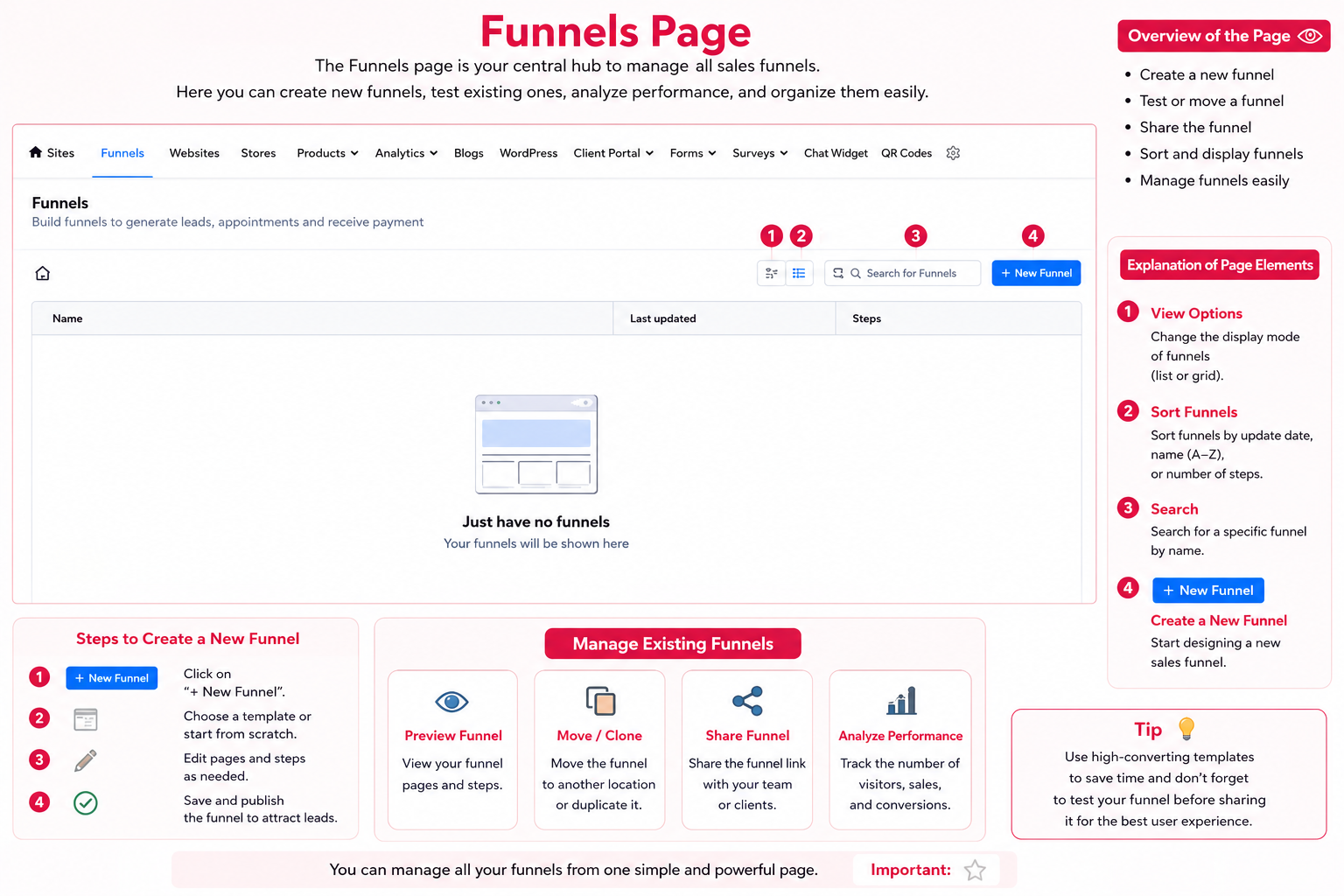
Click on the + New funnel button in the main Funnels screen.
Choose the building method (From Blank, Templates, or AI).
Open the visual editor and use drag-and-drop technology to add texts, buttons, and countdown timers.
Link forms (Forms) to workflow series to collect customer data and run automation automatically.
Connect the page to your custom domain, then click save and publish page (Publish).
Page Builder Preview
Click on the image shown below to view the builder interface in its original size (on desktop computers):
Talk to Media SaleX AI Assistant
Do you want to write an Arabic landing page text, choose the best template for your business, or configure domain and redirect settings? Our smart assistant is ready to help you now!
Talk to Media SaleX AI Assistant