
Contact Info Guide | View & Manage Customer Information
Contact Info
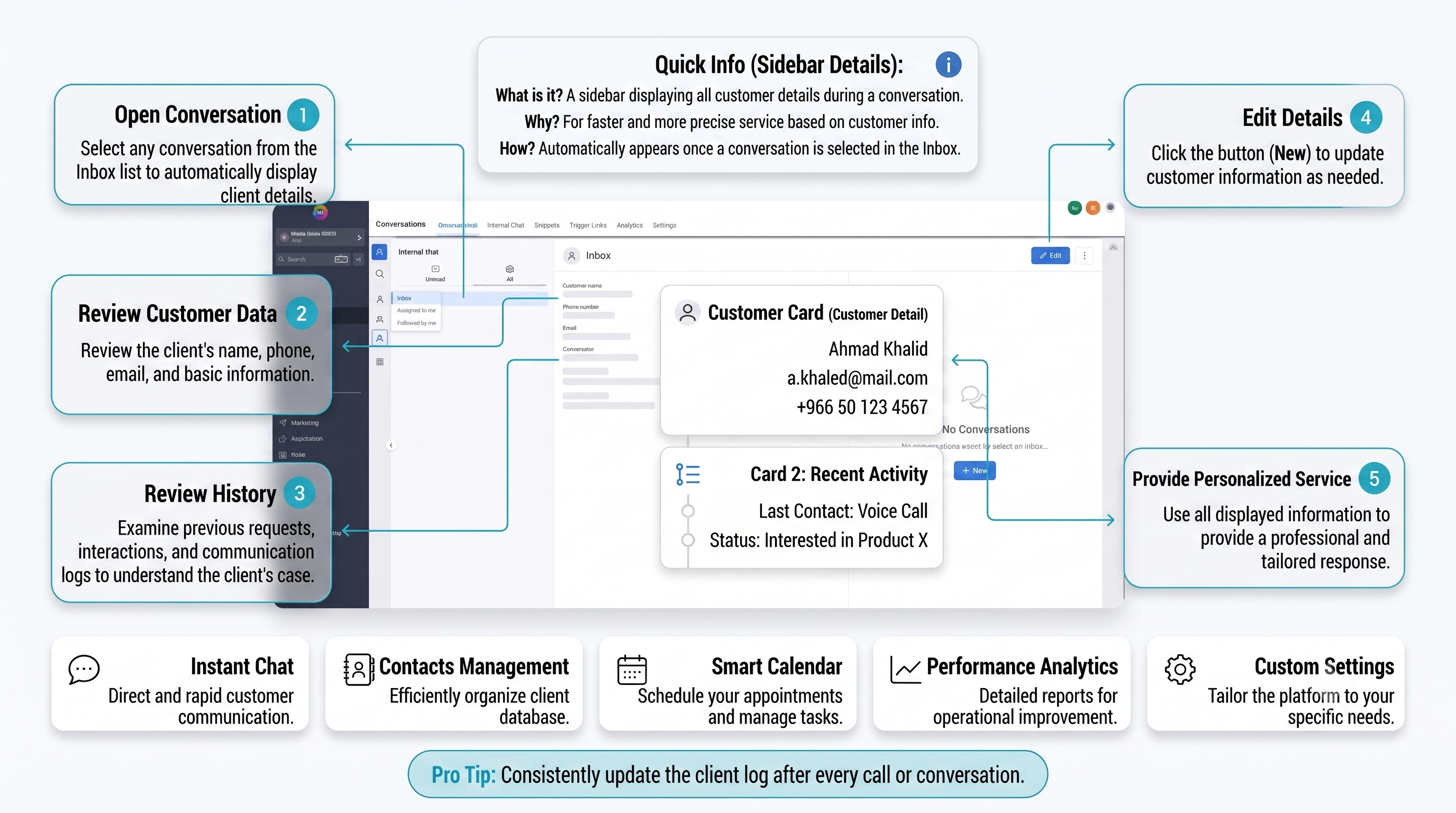
A side display panel that shows customer data and transaction history directly beside the chat screen.
To provide personalized, accurate, and instant service based on complete knowledge of the customer’s context and history.
It appears automatically as soon as any chat is opened in the right sidebar.
Execution Steps
Choose the customer’s chat from the Inbox list to load their data immediately.
Browse personal information, financial history, or orders in the side panel.
Use this information to craft personalized responses tailored accurately to the customer.
Frequently Asked Questions
A: Yes, you can click on any field to modify customer information directly from the side panel.
A: Yes, the full history of past orders and activities is clearly displayed next to the chat.
A: Through the Edit icon always available inside the customer information panel.
Talk to Media SaleX AI Assistant
Do you want to customize the customer data that appears to your team?