
Chat Assignment Guide | Assign Customer Chats to Your Team
Chat Assignment
Assign specific chats to team members to ensure they are handled by the right person, elevating professionalism and reducing wait times.
Task Distribution Mechanism
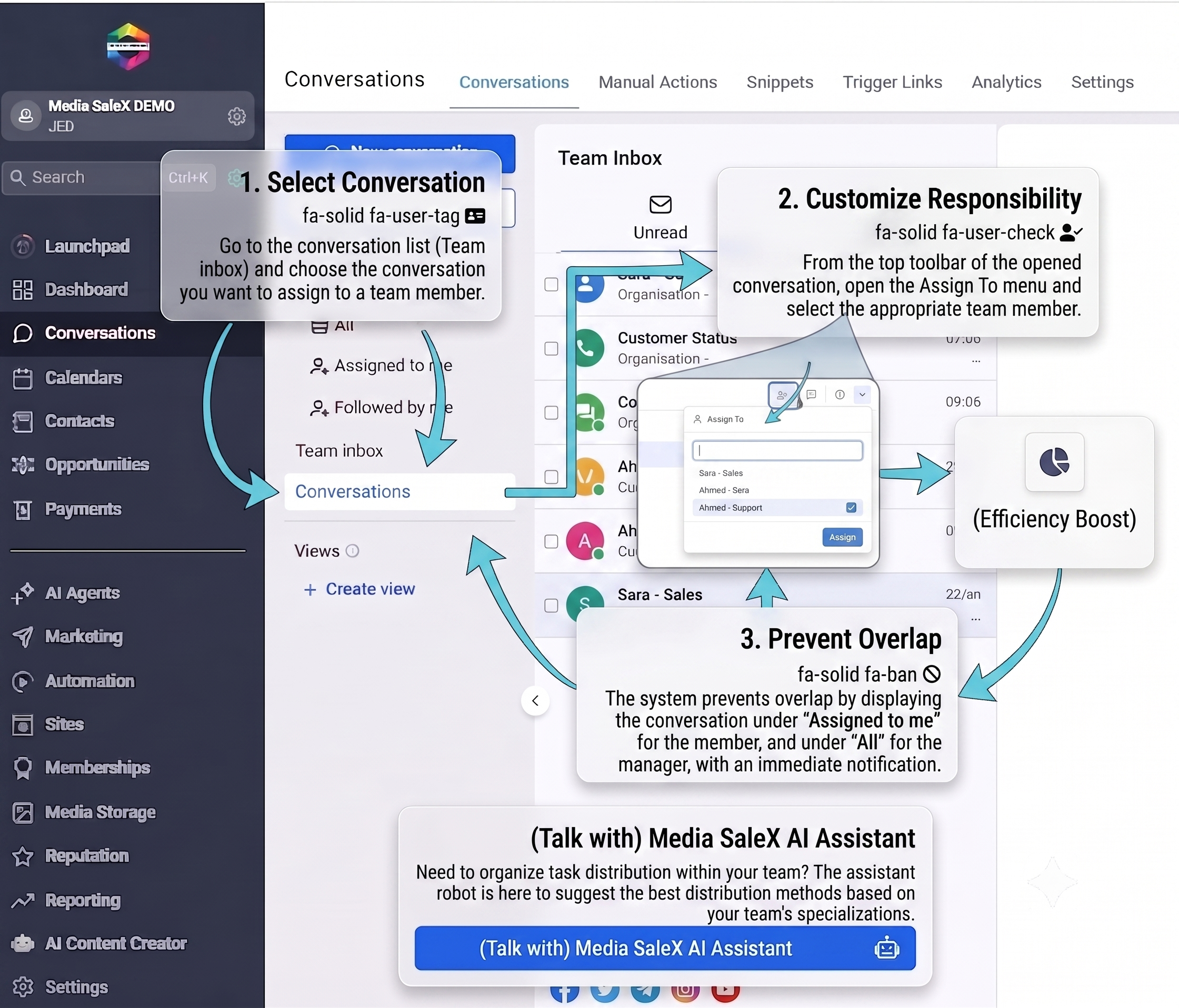
Select the chat, choose the appropriate member, and assign responsibility with the click of a button.
No more confusion; every employee knows the chats assigned to them, ensuring careful follow-up for every customer.
Assigning technical chats to specialists and sales chats to sales reps ensures quality and speed of reply.
The system prevents multiple employees from replying to the same customer, preserving privacy and professionalism in communication.
Important Questions About Assignment
How do I know a chat is assigned to me? You will receive an instant notification within the platform as soon as a manager assigns a new chat to you.
Can a chat be reassigned? Yes, a manager can reassign the chat to any other team member if the need arises.
Can I see all chats? As a manager, you have full permission to view and distribute chats, while employees see only the chats assigned to them.
Talk to Media SaleX AI Assistant
Do you need to organize task distribution within your team? The assistant bot is here to suggest the best distribution methods based on your team members’ specialties.
Talk to Media SaleX AI Assistant