
Knowledge Base Guide | Build AI Knowledge Base for Smart Business Automation
Knowledge Base
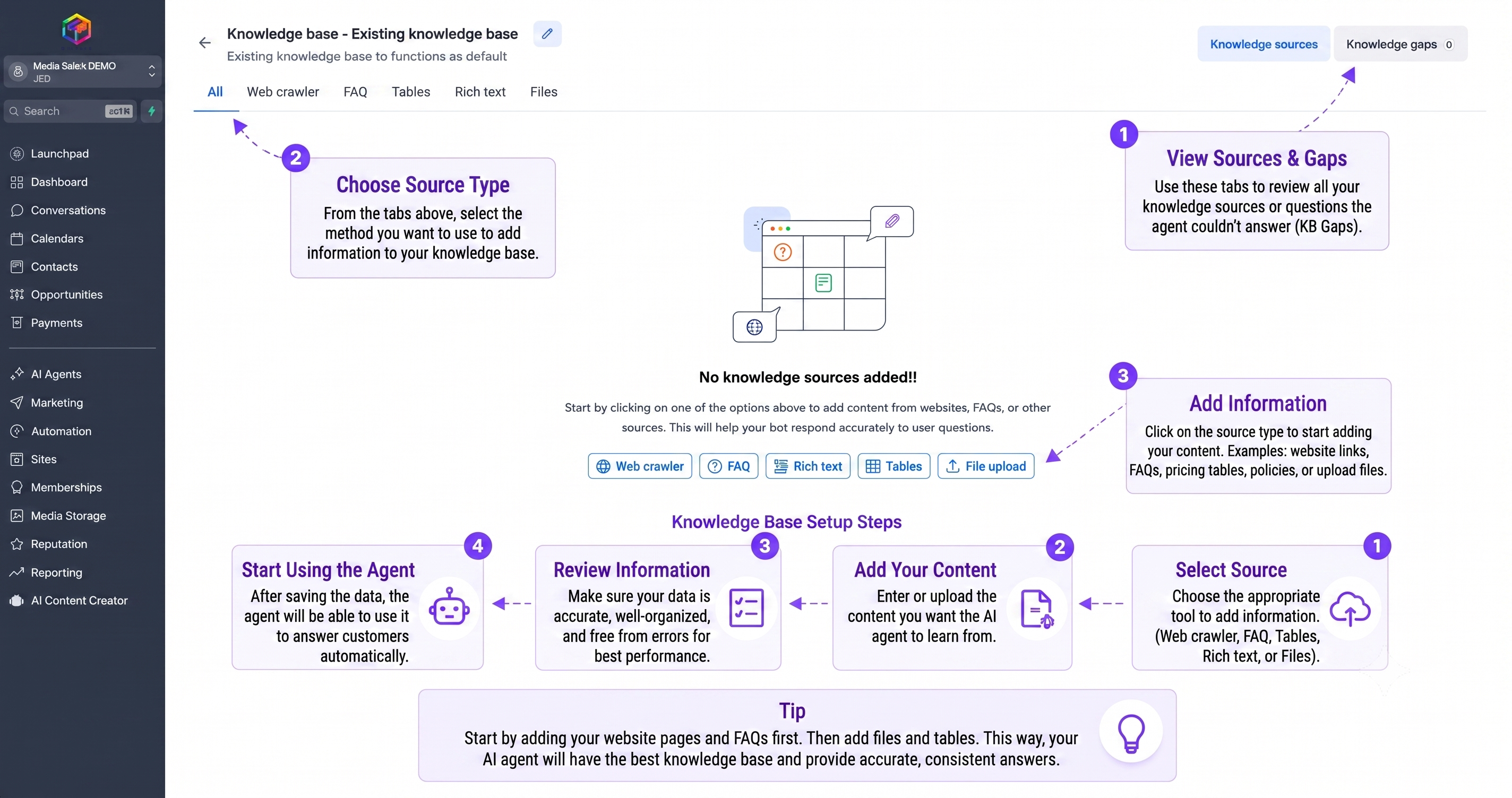
Here you build your digital agent’s “memory”. Feed the system with various information sources to transform it into an expert familiar with all the details of your online store.
Automatically pull information from your website links.
Teach agent the most common Q&A.
Upload pricing tables and structured data.
Upload your PDFs and private policy files.
Choose the appropriate tool (Web Crawler, FAQ, Tables, or File Upload) to upload your data to the platform.
Ensure information is ordered in tables or organized files to enable the agent to retrieve it with speed and accuracy.
The system automatically indexes the data, making it available for the agent to answer any contextual inquiry.
Use the “Test Retrieval” tool to ensure that the agent responds accurately based on your uploaded information.
Continuous Evolution
The system monitors unanswered questions and suggests you add them to improve the agent’s performance automatically.
Every interaction with a customer is a new lesson; the system learns from contexts so responses become more accurate and intelligent over time.
Need Help Setting Up Your Knowledge Base?
If you face any difficulty in connecting your company data or organizing your files, our smart assistant is ready to guide you step by step.