
Contact Management | Media SaleX CRM AI User Guide
Contacts Management
Your gateway to client relationships. This section allows you to build an organized database, where you can create customer profiles, add personal details, and automatically link these profiles to all conversations, deals, and activities to ensure a seamless customer experience.
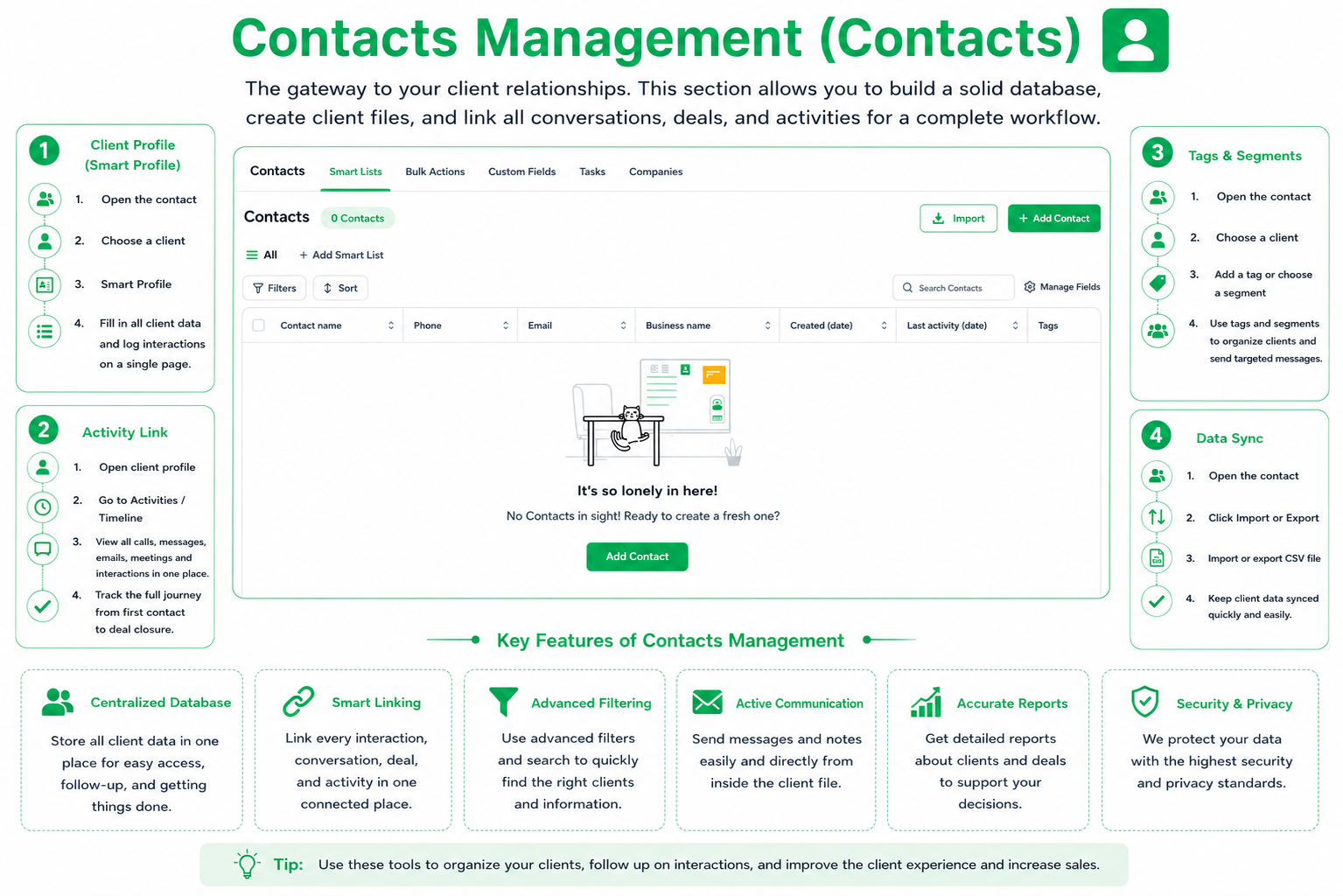
Keep all customer data in one place, ranging from contact information to history of interactions and notes.
The system automatically links every conversation, deal, or appointment with the customer to their profile to create a complete history log.
Use tags and segments to categorize your customer base and target them with personalized messages based on their interests.
Seamlessly import and export your customer data to ensure your database stays updated across all channels.
FAQ
Can I customize data fields? Yes, you can add custom fields to suit your unique business requirements.
Can the client see my internal notes? No, the notes you add to the customer profile are internal and for the team’s use only.
Chat with Media SaleX AI Assistant
Need help categorizing your clients or managing data? The smart assistant is ready to guide you step-by-step.
Chat with Media SaleX AI Assistant